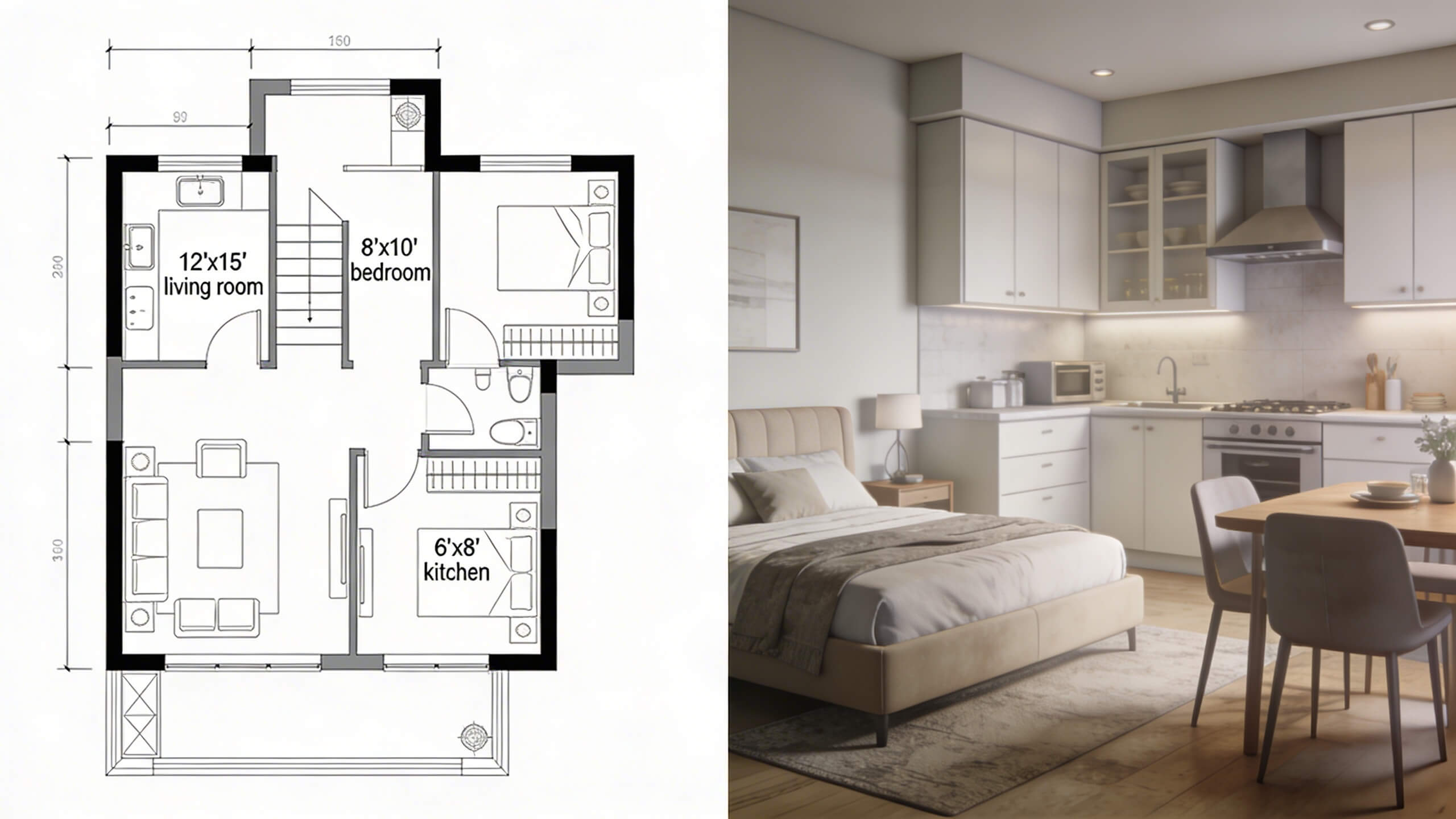
Every floor plan starts in 2D. You draw walls, place doors, set dimensions, and produce a flat overhead view of a space. But the question every homeowner, real estate agent, and designer eventually asks is: Do I need a 3D version too? The answer depends entirely on what you are using the floor plan for.
2D and 3D floor plans are not competing formats. They serve different purposes, communicate different information, and work best in different situations. Understanding when each format adds value prevents you from overspending on 3D when 2D is sufficient, or under delivering with 2D when 3D would solve the actual problem.
This guide breaks down exactly what each type shows, where each one excels, and how to decide which you need for your specific project.
What a 2D Floor Plan shows
A 2D floor plan is a flat, top down drawing of a space viewed from directly above. It shows walls, door openings with swing direction, window positions, room dimensions, and the spatial relationship between rooms. Everything is drawn to scale on a single plane. There is no height, no depth, no perspective. It is a map of the space, not a picture of it.
2D plans communicate technical information with precision. They include exact measurements for every wall, room, and opening. They show wall thickness, load bearing wall indicators, column positions, and structural details that contractors and architects need to build or renovate. T
hey use standardized symbols for doors, windows, stairs, plumbing fixtures, and electrical outlets that professionals across the construction industry understand universally. The strength of a 2D plan is clarity. Every dimension is labeled. Every relationship between rooms is visible at a glance.
There is no visual distraction from textures, colors, or furniture. A contractor can pick up a 2D floor plan and immediately understand the structural layout, room sizes, and construction requirements without interpretation.
The limitation of a 2D plan is equally clear: most people cannot look at a flat drawing of lines and symbols and feel what the space will be like to stand in. Without height, furniture scale, material textures, and lighting, a 2D plan requires the viewer to imagine everything the drawing does not show. Architects and builders do this instinctively. Homeowners and buyers often cannot.
What a 3D Floor Plan shows
A 3D floor plan adds height, depth, materials, furniture, and lighting to the same spatial information contained in a 2D plan. Instead of looking straight down at a flat drawing, you see the space in perspective, either from an elevated angle (bird's eye 3D view) or from eye level (walkthrough view). Walls have visible height. Floors show material textures. Furniture is placed at realistic scale. Light enters through windows and casts shadows.
The result is a visualization that anyone can understand instantly, regardless of their ability to read architectural drawings. A homeowner sees a 3D floor plan and immediately understands whether the living room feels spacious or cramped, whether the kitchen layout works for how they cook, and whether the furniture they plan to buy fits the space proportionally.
3D plans communicate the experience of being in the space. They show how room proportions feel at standing height, how furniture relates to the room volume, how materials interact visually, and how natural light affects the atmosphere. These are qualities that no amount of dimensional labels on a 2D drawing can convey.
The limitation of a 3D plan is that it typically does not include the exact measurements, structural notations, and construction symbols that professionals need. You can see that the kitchen looks beautiful, but you cannot extract the precise distance between the island and the counter from a rendered 3D image. For construction and technical planning, the 2D plan remains the working document.
Key differences between 2D and 3D floor plans

Dimension and Perspective
2D plans exist on a flat plane with only length and width. 3D plans add height and depth, creating a volumetric representation of the space. This means 3D plans show ceiling height, wall proportions, and vertical elements like tall cabinets and staircases in a way that 2D plans cannot.
Level of Detail
2D plans prioritize structural and dimensional accuracy: wall thickness, exact room measurements, door swing arcs, and standardized symbols. 3D plans prioritize visual realism: material textures, furniture placement, color palettes, and lighting conditions. Each format carries detail that the other does not.
Audience Understanding
2D plans are created for professionals who read architectural drawings as a working language. 3D plans are created for anyone who needs to understand the space visually, including homeowners, buyers, renters, and non technical stakeholders. If your audience cannot read architectural symbols, a 2D plan alone will leave them guessing.
Creation Time and Complexity
2D plans are faster to create because they involve a single step: drafting the layout with dimensions. 3D plans require additional steps: building the 3D model from the 2D base, applying materials and textures, placing furniture, and setting up lighting. However, modern browser based tools have compressed this process significantly. Platforms that generate 3D from a 2D layout with one click have eliminated the manual modeling step for most residential projects.
Use in Decision Making
2D plans help you decide where things go. 3D plans help you decide how things look and feel. A 2D plan tells you the sofa fits against the north wall. A 3D plan tells you whether the sofa looks proportionate in the room, whether it blocks the window view, and whether the color works with the flooring.
When a 2D floor plan is all you need
For construction planning and contractor communication, a dimensioned 2D floor plan is the standard working document. Contractors need exact measurements, wall types, door swing directions, plumbing and electrical positions, and structural details. A 3D rendering does not provide this information in a usable format. If you are handing a plan to a builder, the 2D version is what they will work from.
For early stage space planning, a 2D plan is the fastest way to test layout options. When you are deciding how to divide an open space into rooms, where to place a new wall, or how to rearrange the layout of an existing home, the overhead view lets you see all spatial relationships at once. You do not need to see materials or furniture yet. You need to see whether the rooms make spatial sense.
For permit applications and building code documentation, 2D plans with proper dimensions and symbols are typically required. Most municipal building departments accept and expect 2D drawings that follow architectural drafting standards.
For quick reference, a 2D plan works as a simple map of your home. If you need to know the dimensions of a bedroom before ordering a rug, or you want to check whether a new bookshelf fits a specific wall, the 2D plan answers those questions faster than navigating a 3D model.
When you need a 3D floor plan
For furniture shopping and interior design decisions, a 3D floor plan is essential. Buying a sofa based on whether it fits the room dimensions (2D) is not the same as seeing whether it looks proportionate, matches the room's visual weight, and leaves enough open space to feel comfortable (3D). The 3D view prevents purchases that are technically correct in size but visually wrong in the room.
For renovation visualization, a 3D plan lets you see the result before committing to demolition and construction. Removing a wall between the kitchen and dining room sounds like a good idea in theory. A 3D visualization shows you exactly what that open space looks like, whether the ceiling feels too low for the expanded volume, whether the kitchen becomes too exposed to the living area, and whether the overall flow improves or creates new problems.
For real estate marketing, 3D floor plans significantly outperform 2D in generating buyer interest. Potential buyers want to see themselves living in the space, and a 3D plan with furniture, materials, and lighting creates an emotional connection that a flat diagram cannot. Listings with 3D floor plans receive more engagement and help buyers understand the layout before scheduling a visit, which filters for more serious inquiries.
For communicating with non technical stakeholders, 3D is the format that prevents misunderstanding. When you show a family member, partner, or client a 2D plan and ask for feedback, they often say it looks fine because they cannot fully process the flat drawing. When you show them the same layout in 3D, they immediately notice that the hallway feels narrow, the bedroom is smaller than expected, or the furniture arrangement blocks natural light. The 3D view triggers honest, useful feedback that the 2D view does not.
Why is the best approach to use both together
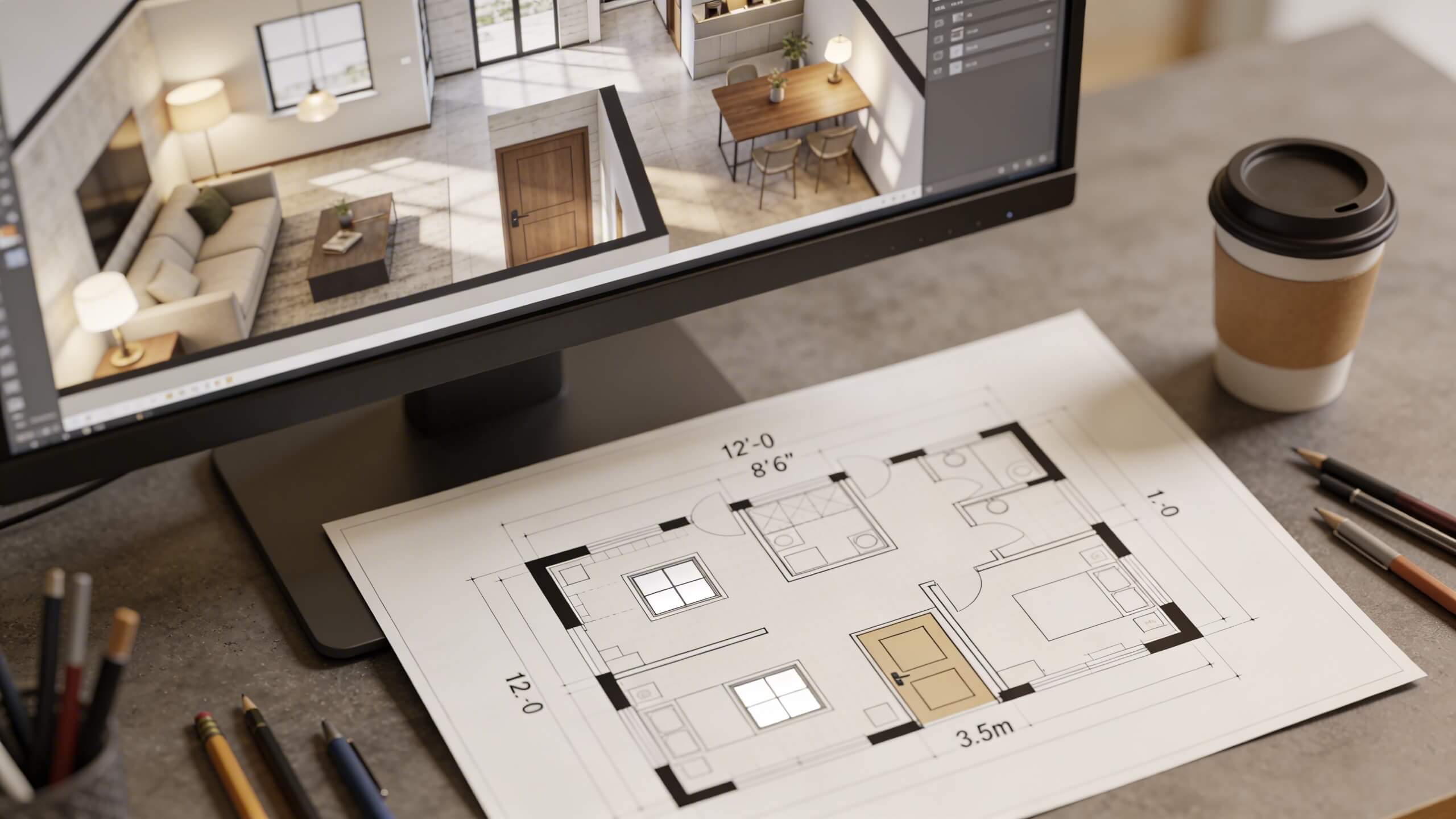
2D and 3D are not an either or choice. They are two views of the same plan, and using both together produces the best results for any home project.
Start in 2D to establish the layout. Draw your walls, set dimensions, place doors and windows, and define the spatial structure. This is the technical foundation. It is fast, precise, and gives you the overhead clarity needed to make structural decisions.
Then switch to 3D to validate the experience. Our browser based 3d floor plan creator that builds 3D from your 2D layout lets you toggle between both views without rebuilding anything. You draw the plan in 2D, click to switch to 3D, and immediately see how the layout feels at eye level. If something looks wrong in 3D, switch back to 2D, adjust the wall or furniture position, and check the 3D result again. This iterative workflow catches problems that working in a single format would miss.
Share the 2D version with your contractor for construction. Share the 3D version with your family for design approval. Share both with your interior designer so they have the technical dimensions and the visual context. Each audience gets the format that communicates most effectively to them.
Arcadium 3D supports this dual workflow in a single browser based platform. Build your 2D floor plan with exact dimensions, switch to 3D with one click, add furniture and materials, and share the result via URL. Your contractor opens the link and sees the dimensioned layout. Your partner opens the same link and walks through the 3D model. No software downloads, no file compatibility issues, no separate tools for each format.
How to choose the right format for your project
Home renovation or remodel
Use both. Start with a 2D plan to define the structural changes and hand it to your contractor. Create a 3D version to visualize the finished result and confirm material and furniture choices before construction begins. The 2D plan ensures accuracy. The 3D plan prevents regret.
Real estate listing
Use a furnished 3D floor plan for marketing materials and online listings. Add a clean 2D plan with room dimensions for buyers who want to verify measurements. The 3D plan attracts attention. The 2D plan answers practical questions.
Furniture shopping and room styling
Use 3D. You need to see furniture at scale in the actual room proportions to make confident buying decisions. A 2D plan tells you a sofa fits. A 3D plan tells you whether it looks right.
New construction
Use 2D for all permitting, engineering, and construction documentation. Use 3D to review the design with the homeowner before breaking ground. The 2D plan is the legal and technical document. The 3D plan is the communication and approval tool.
Simple room measurement or reference
Use 2D. If you just need to know a room's dimensions or check whether a piece of furniture fits a specific wall, the 2D plan delivers that answer faster than navigating a 3D model.
Frequently asked questions
What is the main difference between a 2D and 3D floor plan?
A 2D floor plan is a flat overhead drawing showing walls, dimensions, and room layout. A 3D floor plan adds height, depth, materials, furniture, and lighting, creating a realistic visual that shows how the space looks and feels.
Can I create both 2D and 3D floor plans in the same tool?
Yes. Platforms like Arcadium 3D let you draw a 2D floor plan and convert it to 3D with one click. Changes in either view update the other automatically, so you never need to maintain two separate files.
Which floor plan type do contractors prefer?
Contractors work from 2D floor plans because they include exact dimensions, wall types, door swing directions, and structural symbols. 3D plans are useful for visual reference but do not replace the technical detail in a 2D drawing.
Which floor plan type is better for selling a home?
3D floor plans generate more buyer interest because they let people visualize living in the space. Include a 3D furnished plan for marketing and a 2D dimensioned plan for buyers who want to verify measurements.
Do I need design experience to create a 3D floor plan?
No. Browser based tools like Arcadium 3D generate the 3D model from your 2D layout automatically. You draw walls and place doors in 2D, and the tool builds the 3D version. No modeling or rendering skills are required.
Is a 3D floor plan accurate enough for construction?
3D floor plans are built from the same dimensional data as 2D plans, so the spatial relationships are accurate. However, construction documentation requires the standardized symbols, dimension callouts, and structural notations that only appear in 2D format.
How long does it take to create a 2D floor plan versus a 3D one?
A 2D floor plan of a standard home takes 30 to 60 minutes. Converting it to 3D in a tool that supports automatic generation adds only a few minutes. Adding furniture and materials to the 3D version takes an additional 15 to 30 minutes depending on the level of detail.



 Color palette generator
 3D design from AI chat
 Floor plan creator
 Kitchen design tool
 House design software
 Landscape design software
 Bedroom design
 Office floor plan creator
 Trade show booth design
 How to use Arcadium — full guide
 Community Showcase
 3D object library - free
 Articles and blog