If you are a landscape designer still presenting flat 2D sketches or hand drawn plans to clients, you are leaving money on the table. The industry has shifted. Homeowners and commercial clients now expect to see their outdoor spaces in full 3D before a single shovel touches the ground.
Designers who adopt 3D visualization tools close more projects, command higher fees, and build stronger client relationships. This guide breaks down exactly how professional landscape designers use 3D software at every stage of the client journey, from the first consultation to final approval.
Whether you are a solo designer or running a multi person firm, you will learn the specific workflows, presentation strategies, and tools that convert prospects into paying clients.
Why 3D visualization changed the landscape design business
For decades, landscape designers relied on 2D CAD drawings, hand sketches, and static mood boards. These methods worked, but they had a major limitation: most clients cannot read technical drawings. They struggle to connect a flat plan view with the actual space they will experience every day.
3D visualization removes that gap entirely. When a client sees a photorealistic rendering of their proposed backyard, patio, or garden, they instantly understand scale, spatial relationships, material choices, and overall aesthetic.
There is no guessing involved. They see their future outdoor space as if it already exists. From a business perspective, the numbers are compelling. Studies across the design industry suggest that 3D presentations can improve client approval rates by 40 to 50 percent compared to traditional 2D methods.
Revision cycles shrink because clients understand the design clearly from the start. Fewer revisions mean less unpaid labor and faster project timelines.
How 3D software fits into your client workflow
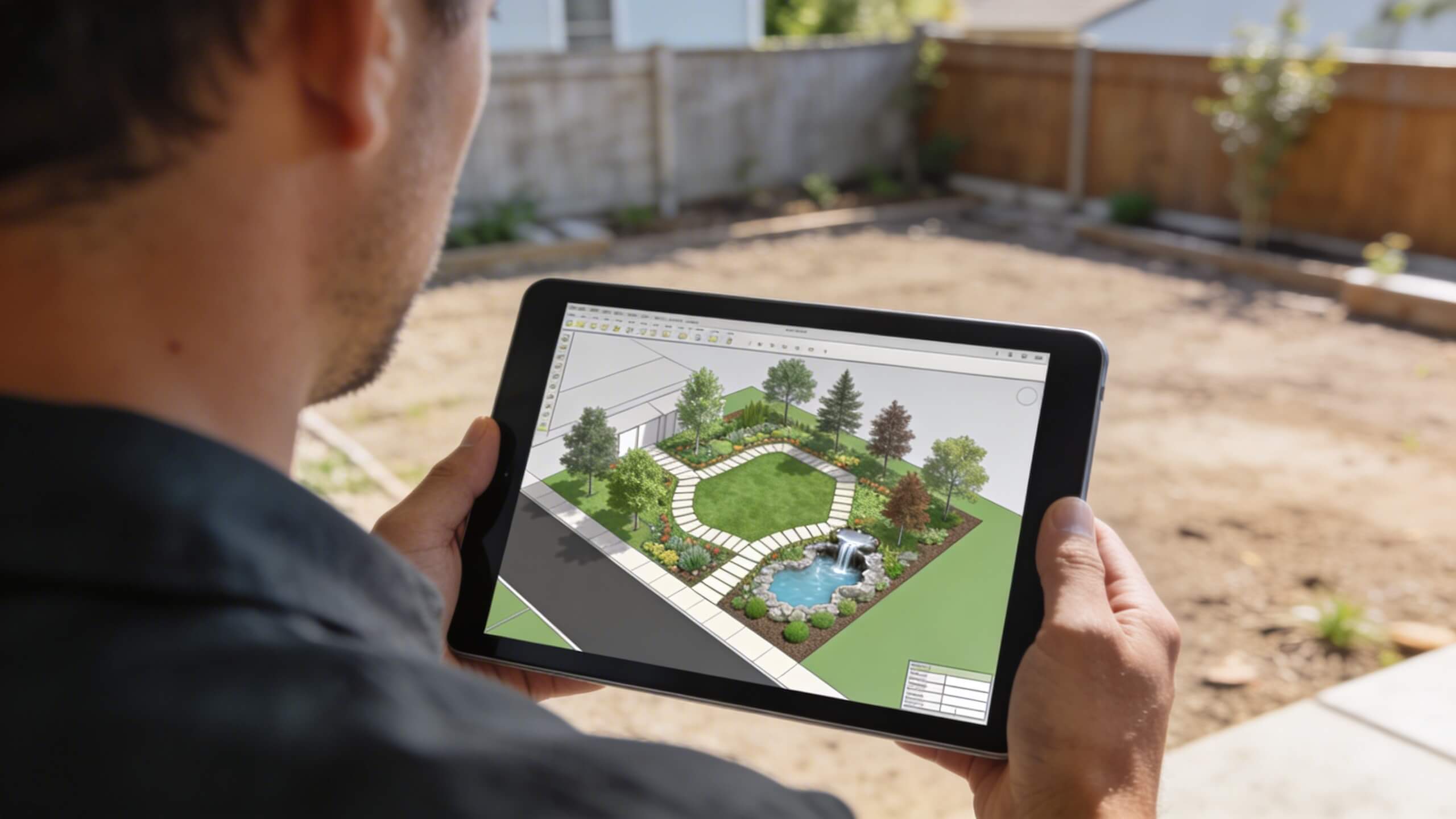
Winning clients is not just about having the best design. It is about guiding them through a process where they feel informed, confident, and excited. 3D software plugs into every stage of that process.
Initial consultation and site assessment
The first meeting is where trust gets built. Instead of showing a generic portfolio, experienced designers now bring a tablet or laptop loaded with 3D models of past projects. Clients can rotate views, zoom into material details, and walk through previous designs.
This immediately establishes credibility and sets expectations for the visual quality your firm delivers. Some designers go a step further by creating a rough 3D layout during the consultation itself.
Using browser based tools like Arcadium 3D, you can quickly sketch a basic outdoor floor plan, drop in placeholder elements such as patios, trees, and seating areas, and show the client a preliminary spatial concept within minutes. This real time design approach makes a powerful first impression.
Concept development and design presentation
Once you have gathered site measurements and client preferences, the concept phase is where 3D software truly earns its value. Rather than presenting a single static drawing, you can deliver multiple design options as fully rendered 3D scenes.
Clients compare different layouts, material palettes, and planting schemes side by side, all visualized in three dimensions. This is also where you differentiate from competitors.
A designer who presents a 3D walkthrough of a proposed garden automatically appears more professional and prepared than one who hands over a printed 2D plan. The visual impact creates a psychological advantage that accelerates decision making.
Client revisions and real time collaboration
Revisions used to be a bottleneck. A client requests changes, you go back to the drawing board, and days pass before they see an updated version. With modern 3D tools, many adjustments happen in real time during the meeting itself. Swap a paver material, reposition a fire pit, change the species of a feature tree, and the client sees the result immediately.
This real time feedback loop dramatically reduces the number of revision rounds. Projects move from concept to approval faster, which means you can take on more clients without increasing your workload.
Final approval and construction handoff
At the approval stage, 3D renderings serve as the definitive reference for both the client and your installation crew. There is no ambiguity about what was agreed upon. The client signs off on a visual they understand completely, and your team builds from a clear visual reference that complements traditional construction documents.
Key features in 3D software that help you win projects
Not every feature in 3D design software matters equally for client acquisition. Based on what moves the needle in real client presentations, these are the capabilities that matter most.
Drag and drop object libraries
Speed is everything in competitive bidding situations. Software with extensive object libraries allows you to place trees, shrubs, hardscape elements, outdoor furniture, water features, and structures quickly. The less time you spend building custom assets, the more time you have to refine the design and focus on client communication.
Material and texture previews
Clients fixate on materials. They want to see exactly how natural stone will look next to wood decking, or how a specific paver pattern reads across a large patio. 3D software that renders realistic textures gives clients the confidence to approve material selections without needing physical samples for every option.
Lighting and shadow simulation
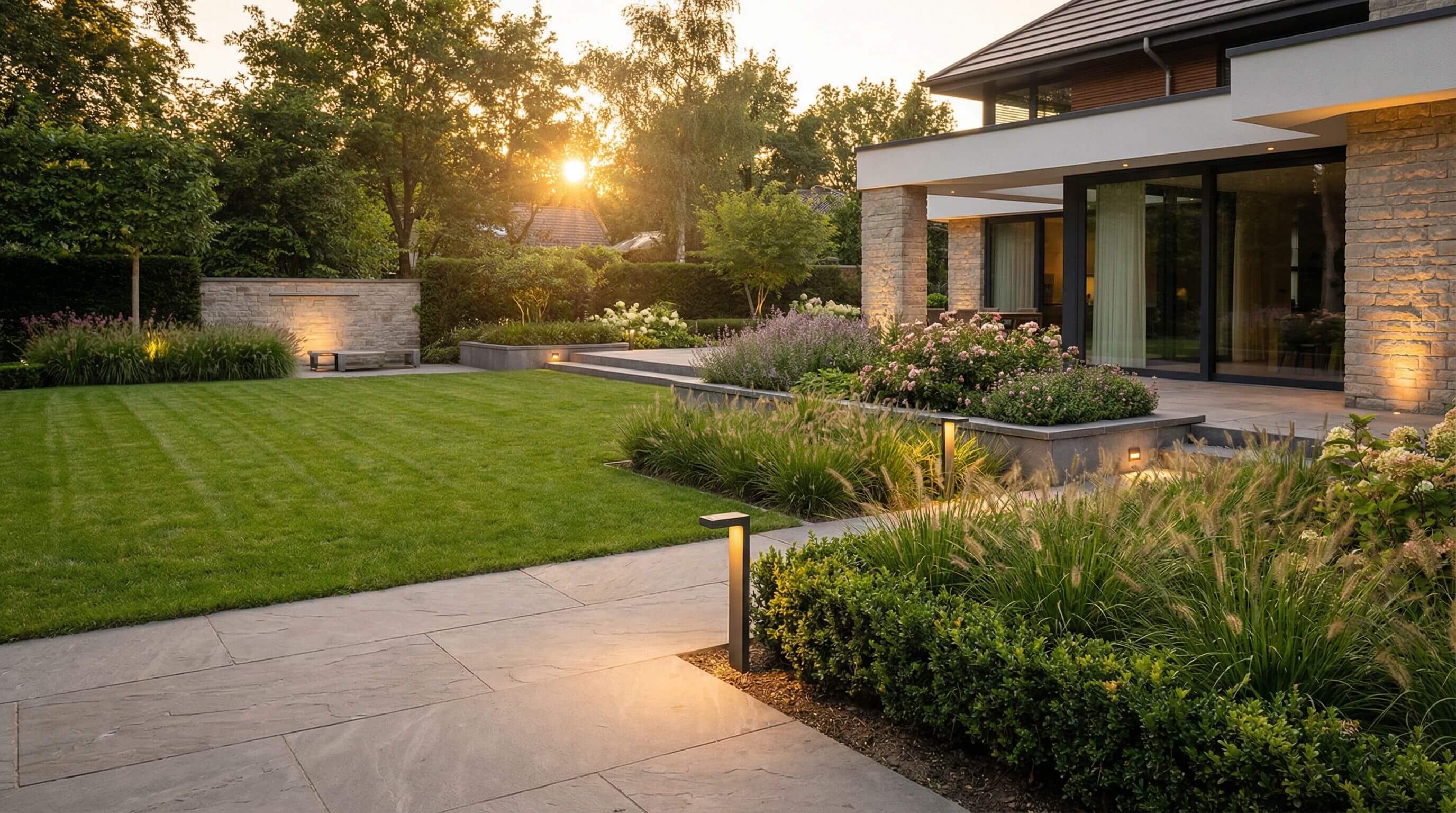
Outdoor lighting is one of the highest margin upsell opportunities in landscape design. Software that simulates daytime sun positions, evening landscape lighting, and shadow patterns lets you demonstrate the transformative effect of a lighting plan. Clients who see their yard illuminated at night in a 3D render almost always add lighting to their project scope.
Browser based access and sharing
Desktop only software limits how and where you can present designs. Browser based platforms let you open your project on any device, whether you are at a client’s home on a tablet, presenting in your studio on a large monitor, or sharing a link for remote review. This flexibility is particularly valuable for designers who do initial consultations on site. Tools like
Choosing the right 3D tool for your landscape practice
The market for 3D design software ranges from heavyweight professional CAD platforms to lightweight browser based tools. Your choice should depend on three factors: the complexity of your typical projects, your technical skill level, and how fast you need to produce client ready presentations.
Professional CAD platforms like Vectorworks Landmark and AutoCAD offer deep functionality for large scale commercial projects. They handle grading, irrigation planning, and BIM workflows. The tradeoff is a steep learning curve and significant time investment to produce each design.
On the other end of the spectrum, intuitive browser based tools prioritize speed and accessibility. For residential landscape designers who need to produce compelling 3D visuals quickly, a platform that requires no downloads and minimal training is often the better fit.
If you want to explore a fast, intuitive option for creating 3D outdoor plans, try using 3d landscape design software by Arcadium 3D, which runs entirely in your browser and lets you go from blank canvas to 3D walkthrough in a single session. The key question is not which software has the most features. Which software lets you present better designs to more clients in less time?
Presentation strategies that close deals
Having great software is only half the equation. How you present the 3D design to the client is what actually closes the deal.
Start with the problem, not the design
Before showing the 3D model, recap the client’s pain points. Maybe their current backyard feels disconnected, or they need better functionality for entertaining. Frame the design as a solution to their specific problem. When the 3D reveal follows a clear narrative, it lands with much more impact.
Use multiple camera angles
Do not show a single overhead view and call it done. Present the design from multiple perspectives: an aerial view for layout context, eye level views from the patio or deck, and close ups of feature areas like a fire pit lounge or garden pathway. Each angle tells a different part of the story and keeps the client engaged.
Show before and after comparisons
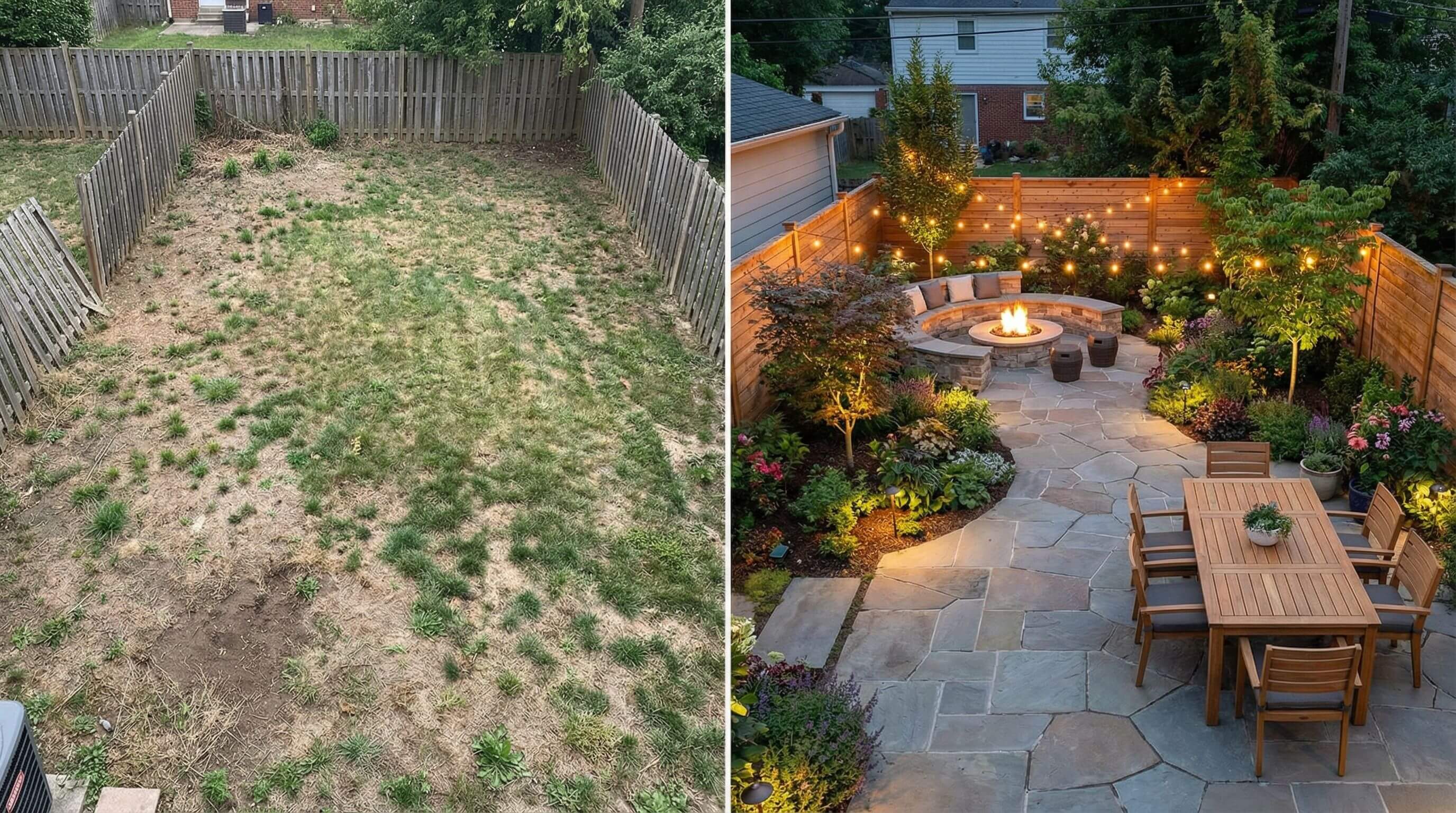
If your software supports photo overlay or background integration, place the 3D design into an actual photo of the client’s existing property. The before and after contrast is one of the most persuasive visuals you can present. Clients see the transformation in context, which makes the investment feel tangible and worthwhile.
Let the client interact
Whenever possible, hand the controls to the client. Let them rotate the view, zoom into areas that interest them, and explore the space on their own terms. This shifts their mindset from evaluating a proposal to experiencing their future outdoor space. That emotional connection is what turns interest into commitment.
Common mistakes designers make with 3D presentations
Even with powerful tools at your disposal, poor execution can undermine your presentation. Here are the pitfalls that cost designers projects.
Overloading the design with details too early
Presenting a hyper detailed render during the first concept meeting can overwhelm clients. Start with clean, simple views that communicate the big picture. Add detail in subsequent rounds as the client gains confidence in the direction.
Ignoring scale and proportion
One of the fastest ways to lose credibility is presenting a 3D model where elements feel out of scale. Trees that look too small, furniture that appears oversized, or pathways that seem unrealistically narrow all break the illusion. Always verify dimensions against real world specifications before presenting.
Using poor lighting in renders
Flat, unnatural lighting makes even a great design look amateurish. Take the time to set realistic sun angles, ambient light levels, and shadow softness. A well lit render elevates the perceived quality of your entire design and your professionalism along with it.
Failing to match the client’s visual language
Some clients respond better to photorealistic renders. Others prefer a cleaner, more diagrammatic style that focuses on spatial arrangement. Pay attention to what excites each client and adjust your presentation style accordingly.
How 3D design builds long term client value
Winning the initial project is just the beginning. 3D software helps you build ongoing relationships that generate repeat business and referrals.
When a client has a positive experience with a 3D presentation, they remember it. They show the renderings to friends and neighbors, effectively becoming ambassadors for your firm. Saved 3D project files also make it easy to revisit a property for phase two work, seasonal updates, or additional features years later. You can open the original model, add the new elements, and present a seamless expansion of the existing design.
Designers who leverage platforms like Arcadium 3D also benefit from cloud saved projects that are accessible anytime. This means you can pull up a client’s design during an unexpected phone call, share a link for quick feedback, or update a project remotely without needing to be at your office workstation.
The return on investment of adopting 3D software
Investing in 3D design capability pays for itself quickly. The most direct return comes from higher close rates. If your current proposal to project conversion rate is 30 percent and 3D presentations bump that to 45 or 50 percent, the revenue impact is substantial even if your lead volume stays flat.
There are secondary returns as well. Faster approvals mean shorter project timelines. Fewer revisions mean less unbilled time. Higher perceived value supports premium pricing, with some firms reporting the ability to charge 10 to 15 percent more when delivering 3D visualizations as part of their service package.
For solo designers and small firms, free or low cost browser based tools remove the financial barrier entirely. You do not need a thousand dollar software license to start offering 3D presentations. Platforms that run in the browser with no installation required let you test the approach with minimal risk and scale up as your business grows.



 Color palette generator
 3D design from AI chat
 Floor plan creator
 Kitchen design tool
 House design software
 Landscape design software
 Bedroom design
 Office floor plan creator
 Trade show booth design
 How to use Arcadium — full guide
 Community Showcase
 3D object library - free
 Articles and blog