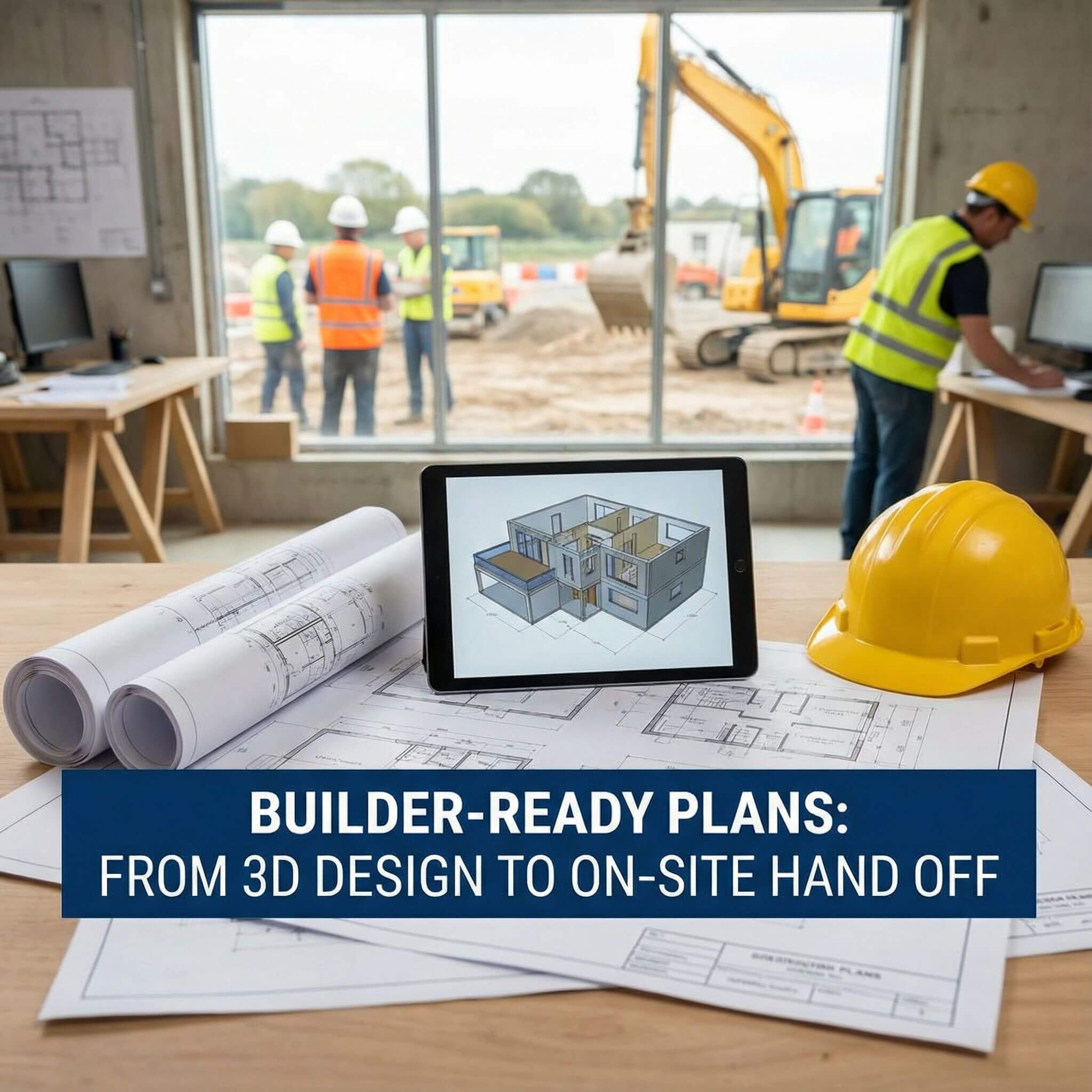
Welcome to the modern workflow of turning a room sketch into a builder-ready blueprint. Today’s online tools make it easy: you can literally draw your floor plan, see it in 3D, and export precise plans for construction. For example, Arcadium 3D is a free browser-based platform that lets anyone sketch walls and place furniture in a virtual model. It offers an intuitive interface so you can create a house layout in minutes.
In fact, Arcadium’s own blog notes that you can design a room online for free using the
3d house maker tool
, and instantly see how it “will actually feel in your space”. This empowers architects, designers, and homeowners worldwide to experiment with layouts and finishes before committing to a build.
Creating builder-ready plans means going beyond a rough sketch or simple floor plan. A blueprint or permit set typically includes the floor layout plus elevations, sections and all details needed for code compliance. In practice, that means clear dimensions, labeled rooms, window and door locations, and sometimes structural notes. Working in 3D first helps ensure that every element is correctly sized and placed.
Why Builder-Ready Plans Matter
Blueprints vs Floor Plans:
A simple floor plan (showing wall and room layout) is great for visualization, but a builder-ready plan is more comprehensive. As one design article explains, a true “blueprint” includes not only the overhead floor plan but also elevations, sections and system details. These extra views ensure compliance with building codes and complete clarity for contractors.
Permit Requirements:
Local authorities often require a permit set that proves your plan meets zoning and safety rules. These “permit-ready” drawings must highlight code compliance. 3D design software can help generate the exact layout and dimensions needed, making it easier for your architect or engineer to finalize a stamp-worthy package.
Communication and Collaboration:
Combining 3D visuals with precise plans improves teamwork. SMW Plans notes that “detailed plans and 3D renderings make it easy for clients to understand designs,” and give crews accurate instructions. In other words, everyone (clients, architects, builders) is on the same page from the start, which means fewer delays and change orders.
Speed and Cost Savings:
Detailed 3D-based plans also control costs. Design experts point out that precise construction documents let contractors plan materials and avoid mistakes. When rooms, doors and fixtures are all laid out accurately in advance, you avoid expensive surprises during construction.
The bottom line: by working from a 3D model to generate your plans, you can produce thorough, permit-compliant drawings faster than with traditional hand sketching. Modern tools like Arcadium 3D are built for this workflow – they merge creative layout with technical precision so that your final blueprints are truly builder-ready.
Arcadium 3D: Key Features You Should Try
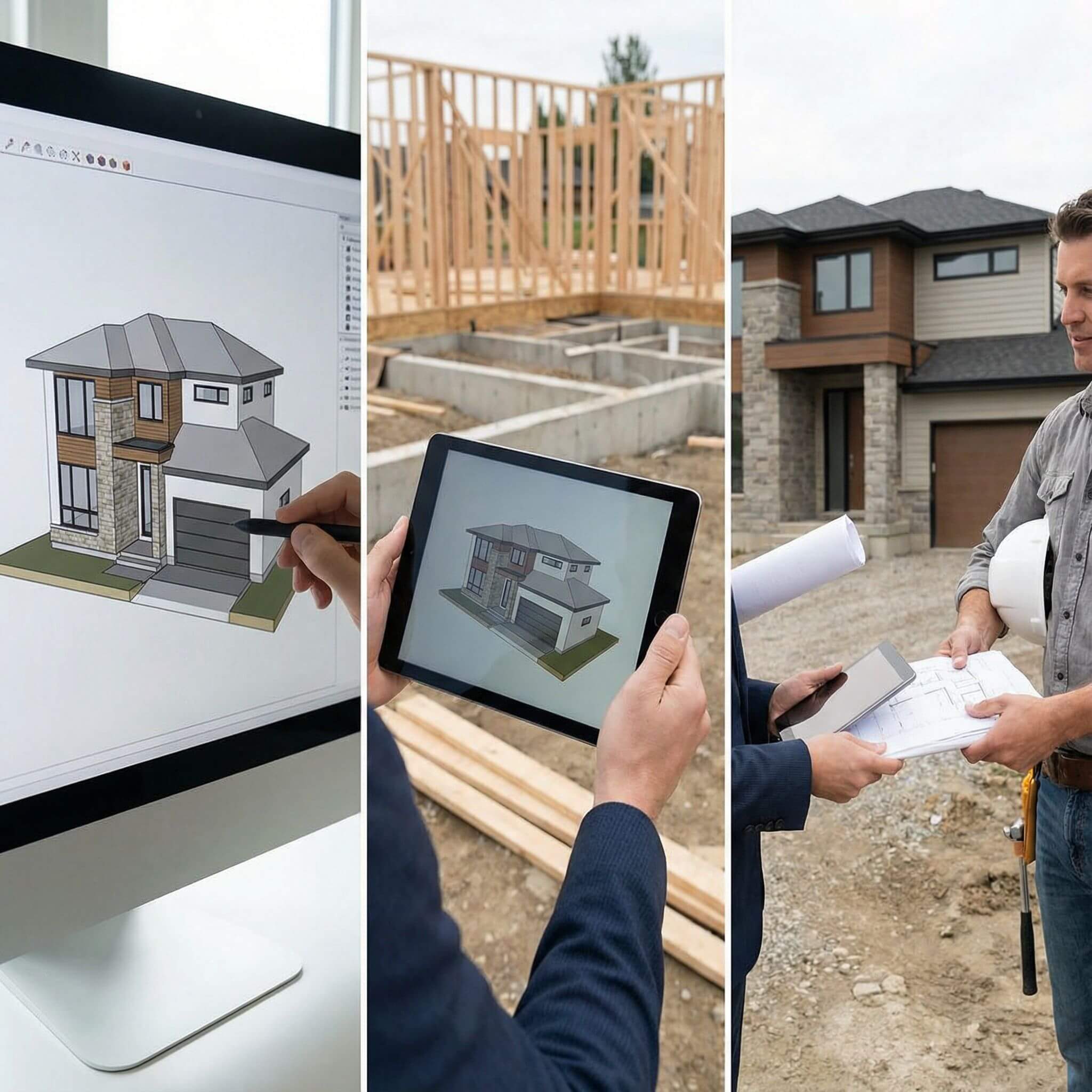
Arcadium 3D packs a rich set of features to take you from concept sketch to final plan. It is 100% web-based, so there’s no software to install or updates to manage. You simply open your browser and start designing immediately. This instant access means you can work on any computer or tablet, anywhere. Here are some highlights:
Fast 3D Modeling:
Arcadium calls itself a “fast and easy 3D house design tool”. You can draw walls and rooms in minutes and see them instantly in 3D. The interface utilizes drag-and-drop functionality and even “gaming-style” camera controls, allowing anyone to master it.
Automatic Dimensions:
As you draw walls, Arcadium automatically calculates lengths and shows measurements. In their documentation, they boast you can “create precise floor plans with automatic dimensions”. This ensures your plan is accurate – you won’t later find a wall is 10″ longer than it should be!
Parametric Architecture:
Objects like stairs, windows and doors are smart: they adjust to your design. For example, a staircase will auto-generate to fit the height and location you choose, and doors cut openings through walls automatically. Standard sizes (e.g. window heights, door widths) are built in. These parametric tools save hours of tweaking.
Integrated Object Library:
Arcadium includes a large library of furniture, fixtures and materials. You can drag in sofas, tables, cabinets – even upload your own models – and arrange them in the room. This helps you test layouts (furniture and traffic flow) right in the design. You can also apply finishes or wallpapers for realistic visuals.
Switch 2D/3D Instantly:
One-click toggles let you view the plan from above (2D) or walk through it in 3D. This instant switch is a huge time-saver. In 2D you can align or measure walls precisely, then flip to 3D to check sight-lines and ambiance. The 3D mode even offers virtual walkthroughs: Arcadium’s site notes users can “experience a design’s ambiance, lighting, [and] space firsthand”, far beyond what a flat drawing conveys.
High-Quality Visualization:
Arcadium has a real-time lighting engine. You can adjust sunlight and lamps, and the renderer instantly shows shadows and lighting effects. The result is stunning renders of your rooms. There’s even an AI Interior Design tool: take any view and generate a photorealistic image or a sketch/watercolor version with one click. This makes presentations to clients or permits look very professional.
Instant Sharing:
Because it’s all online, collaboration is seamless. You can share your project by simply copying a URL. Clients or contractors open the link in any browser to view the live design. They can even leave comments or tweak things (if given access). For printing or formal plan-sharing, Arcadium allows you to export outlines and elevations: just switch to outline mode and export the clean 2D plans.
Step-by-Step: From Sketch to Site
Using Arcadium to produce builder-ready plans follows a few intuitive steps:
Start Your Design:
Open Arcadium 3D in your browser and begin a new project. You can either start with a blank canvas or use one of many templates. Set your basic room dimensions by drawing walls – click to place corners and define the outline of each room (Arcadium even auto-fills the opposite wall). The interface is designed so that, as Arcadium notes, you can “master 3D house modeling in minutes” – it’s “simple enough for beginners, powerful enough for pros”.
Add Details:
Once your walls are up, add architectural details. Insert windows and doors by dragging them into place – Arcadium auto-cuts the wall for you. Place stairs, columns or any structures needed. Then drag furniture from the library into each room (sofas, tables, beds, etc.). You can also add fixed features: countertops, sinks, appliances, and lighting fixtures. Assign materials or colors to floors and walls for a realistic look. As you do this, dimensions stay accurate: the software continually shows lengths and areas, so you always know the exact size of each element.
Visualize and Adjust:
Switch to 3D mode to review your layout. Walk through the model virtually – even stand at eye level to check sightlines. Adjust light levels, textures and camera angles as needed. This is the time to catch any issues: for instance, make sure furniture isn’t blocking a walkway, or that doors can fully open without hitting something. Because Arcadium is so fast, you can tweak a wall or object and see the result instantly.
Create 2D Plans:
Once the 3D model looks right, generate your official plans. Use Arcadium’s outline mode or 2D view to produce crisp floor plans and elevation drawings. The software automatically draws scaled floor plans with dimension labels. You can export these drawings or simply copy the project link. The plan now shows exact room sizes, wall thicknesses, window heights and so on. At this point, you have the core of a builder-ready blueprint.
Hand Off to Builders:
Share the results. You can print the 2D plans as PDFs or send the Arcadium link to your contractor. As Arcadium’s documentation says, a simple URL lets any stakeholder view the project. Builders can even walk through the design on their end and take their own measurements if needed. At this stage, you might pass the drawings to an engineer or local authority to add structural details or notes (if required). But the heavy lifting of layout and space planning is done.
Collaborating with Builders
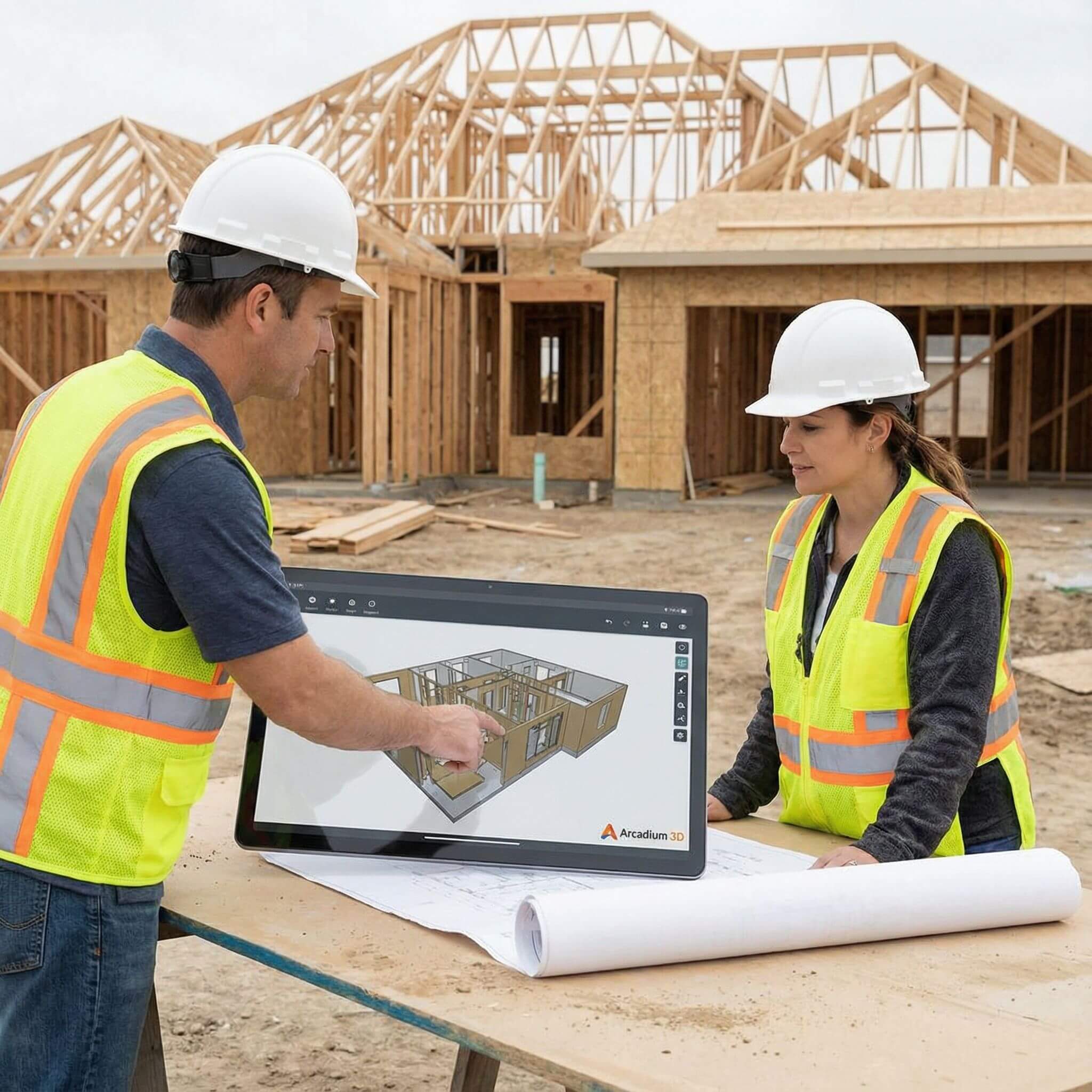
The final goal is on-site construction. Clear communication here is critical. By using Arcadium, you provide contractors with precise, easy-to-read plans. For example, Arcadium explicitly touts the ability to “share 2D floor plans and elevations” with builders and regulators.
In practice, after modeling in 3D you switch to outline mode and export the plan – now everyone has an accurate blueprint. The dimensions are already correct, and any door/window positions or structural notes can be added in that view.
Because Arcadium is online, revisions are seamless. If a builder spots an issue, you can adjust the 3D model and instantly regenerate updated plans. This keeps everyone in sync and cuts down on change orders.
In short, Arcadium bridges the gap: it “turns visions into plans for builders”. Instead of deciphering a flat drawing, your builder gets an interactive 3D preview and matching 2D outlines. This clarity “removes guesswork,” as one design firm observes, so the finished build “matches the vision” exactly.
Why Anyone Can Do It
One powerful aspect of Arcadium 3D is that it democratizes design. You don’t need to be an engineer or expert drafter to create professional plans. In fact, Arcadium’s site emphasizes how easy it is: one architect user said Arcadium is “so easy to use compared to other 3D software” and lets you quickly share spatial ideas without frustration.
Another user notes they “spent hours precisely measuring and placing furniture” in Arcadium – and loved every moment. Arcadium supports all skill levels. It lists its users as ranging from architects and interior designers to homeowners, DIY enthusiasts and property developers. Its approach is aimed at being intuitive: even students or first-time planners can pick it up.
Since no installation is needed and there are built-in guides (like snap tools, alignment aids and auto-dimensions), beginners can get started immediately. Meanwhile, professionals benefit from the precision and speed it offers – one designer switched from SketchUp, noting Arcadium is “far faster and easier” for ideation.
The result is a transformative process: Anyone can turn a simple design idea into a full-fledged construction plan. You can see how color or furniture choices look before buying them, or how a wall position affects light, then quickly generate the actual drawings a builder needs. Modern 3D design is no longer a luxury reserved for big firms.
As Arcadium points out, these tools “empower homeowners everywhere to make informed style choices” by previewing them in advance. In short, Arcadium 3D puts the power of professional home design in your hands – sketch away, and when you’re ready, hand off a complete, builder-ready plan with confidence.
Check our details article on- Tiny Homes: How to Make 400–600 sq ft Feel Big
Frequently Asked Questions
What is a builder-ready plan?
A builder-ready (or permit-ready) plan is a set of drawings detailed enough for construction crews and regulators. Unlike a simple floorplan sketch, it includes all measurements, room labels, window/door locations and often elevations or sections. These plans meet code requirements and leave no ambiguity for builders. Having a 3D model first helps create these detailed drawings faster and with fewer errors.
How does 3D design help create builder-ready plans?
3D design software ensures every wall, window and object is placed exactly as intended. Changes in 3D immediately update the layout, so mistakes are caught early. In Arcadium, for example, the 3D model and 2D plan are linked: when you move a wall in 3D, the floor plan adjusts automatically. This means the exported 2D plans (with dimensions) accurately reflect the 3D design. It also makes review easier – contractors can virtually “walk through” the design to clarify intent, as Arcadium’s walkthrough view provides a realistic space preview.
Do I need special skills to use Arcadium 3D?
No, Arcadium is designed for all skill levels. It’s 100% web-based and free to start, with intuitive drag-drop tools. Arcadium itself notes you can “master 3D modeling in minutes,” being “simple enough for beginners, powerful enough for pros”. A homeowner can open the app and start drawing their room; an architect can use the same tools for quick schematics. The interface guides you (for example, doors auto-cut walls), and there are tutorials available, so no CAD experience is required.
Can Arcadium 3D generate permit-ready blueprints?
Arcadium can produce the core floor plans, elevations and sections you need for permits. By switching to outline or floorplan mode, it generates scaled 2D drawings with dimensions. These can then be printed or exported as needed. In many cases this is enough for planning departments. For full permit compliance, you may work with an engineer to add things like structural notes or detailed site plans. But Arcadium gets you most of the way there quickly by ensuring your layout is accurate and fully specified.
Who typically uses Arcadium 3D?
Arcadium is popular with architects and interior designers for client presentations and early design work, but it’s also used by real estate agents, builders, renovators and homeowners. Essentially anyone involved in space planning can benefit. Architects might use it for quick schematic layouts, while a homeowner could use it to plan a DIY remodel. Its accessibility means a broad audience leverages it – from students learning design to contractors explaining ideas to clients.
How do I convert my 3D design into a 2D construction plan?
In Arcadium, after completing your 3D model, you simply switch to the 2D floor plan or “outline” view. The software will then draw the plan with accurate dimensions and wall positions. You can print or export this view as a blueprint. Many users also share the Arcadium project link directly with builders – since it’s online, the builder can open the link and see both the 3D model and 2D plans instantly. This makes the handoff straightforward.



 Color palette generator
 3D design from AI chat
 Floor plan creator
 Kitchen design tool
 House design software
 Landscape design software
 Bedroom design
 Office floor plan creator
 Trade show booth design
 How to use Arcadium — full guide
 Community Showcase
 3D object library - free
 Articles and blog